

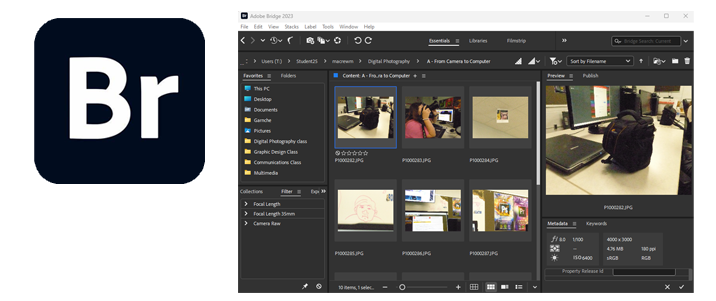


Adobe Bridge is a one-stop-shop for most of our media-related needs. The interface is pretty similar to most other Adobe applications though “productivity” is not it’s main function. Think of Adobe Bridge as more of a storage/organizing solution – where images, videos, even audio recordings can be catalogued and maintained for efficiency and searchability. Though, there are features that allow us to make adjustments to our images, to send them to other locations, to “tag” them with certain information to make them searchable, etc.
- Open Adobe Bridge
- On the bottom Task Bar, right click on the Bridge icon and select Pin to Taskbar (this will permanently place this icon on your taskbar for easy access
- On the Menu Bar, select Window and then choose "Essentials"
- Navigate Bridge (under the FOLDERS tab) to your Digital Photography folder on your User drive
- Right Click on the folder and select Add to Favorites
- Now, Click on the Favorites tab and make sure Digital Photography is located under there
(This is how my Favorites looks like. Yours will probably appear differently because I've added additional folders to mine)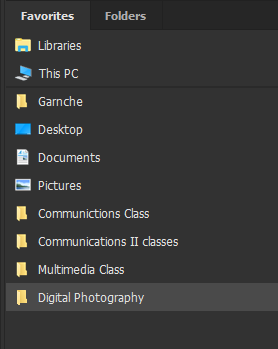
- Double click on the Digital Photography folder and in the center Content Panel, you should see the contents of your folder.
- Right click in this Content area and select New Folder
- Name the folder “Bridging the Gap”
After you are done, your folder should appear something like this:
- Bridging the Gap
- From Camera to Computer
- A World of Color
- A Focused Lens
- Adjustment Layers and Masks
- A Splash of Color
- The Truth in Black and White
- Extrapolation: Objects of Interest
- Lighting and Texture
- The Rule of Thirds
- Photographic Alphabet
- Transformation-Planes of Existence
- Replace Color
- Pattern Making
- Portrait Study
These may or may not be all of the folders we will be working with, but they are a start
Navigate to your Digital Photography folder in your user folder. Notice that there are now the appropriate folders in your folder titled exactly what you named the folders in Bridge? This is because what you create either in your User folder or inside of Bridge, you will see it created in either or location. Hence, Bridge is exactly what its namesake is – a bridge between where you store things. But, it’s also more than that.
